


Limited Offline Access
Expense tracking stops when there is no internet connection.
 Loading…
Manage income expenses budgets bills and accounts from one place. With offline access receipt scanning and voice entry Smart Expense Tracker keeps financial tracking simple wherever you go.
Smart Expense Tracker is a personal finance app built to track income, expenses, bills and budgets across multiple accounts cash, bank, or digital without requiring an internet connection to actually function.
Every transaction, whether it's income, an expense, a transfer between accounts, or a bill, lands in one centralized history you can search and filter. Weekly and monthly budgets compare what you planned to spend against what you actually spent and a dashboard rolls it all up into a single view of your financial position. What sets it apart from a basic ledger app is the automation layer: point your camera at a paper receipt and the app extracts the details for you, or just say "spent 500 rupees on groceries today" and it builds the expense entry from your voice. Everything syncs to the cloud once you're back online, but nothing about using the app requires being online in the first place.
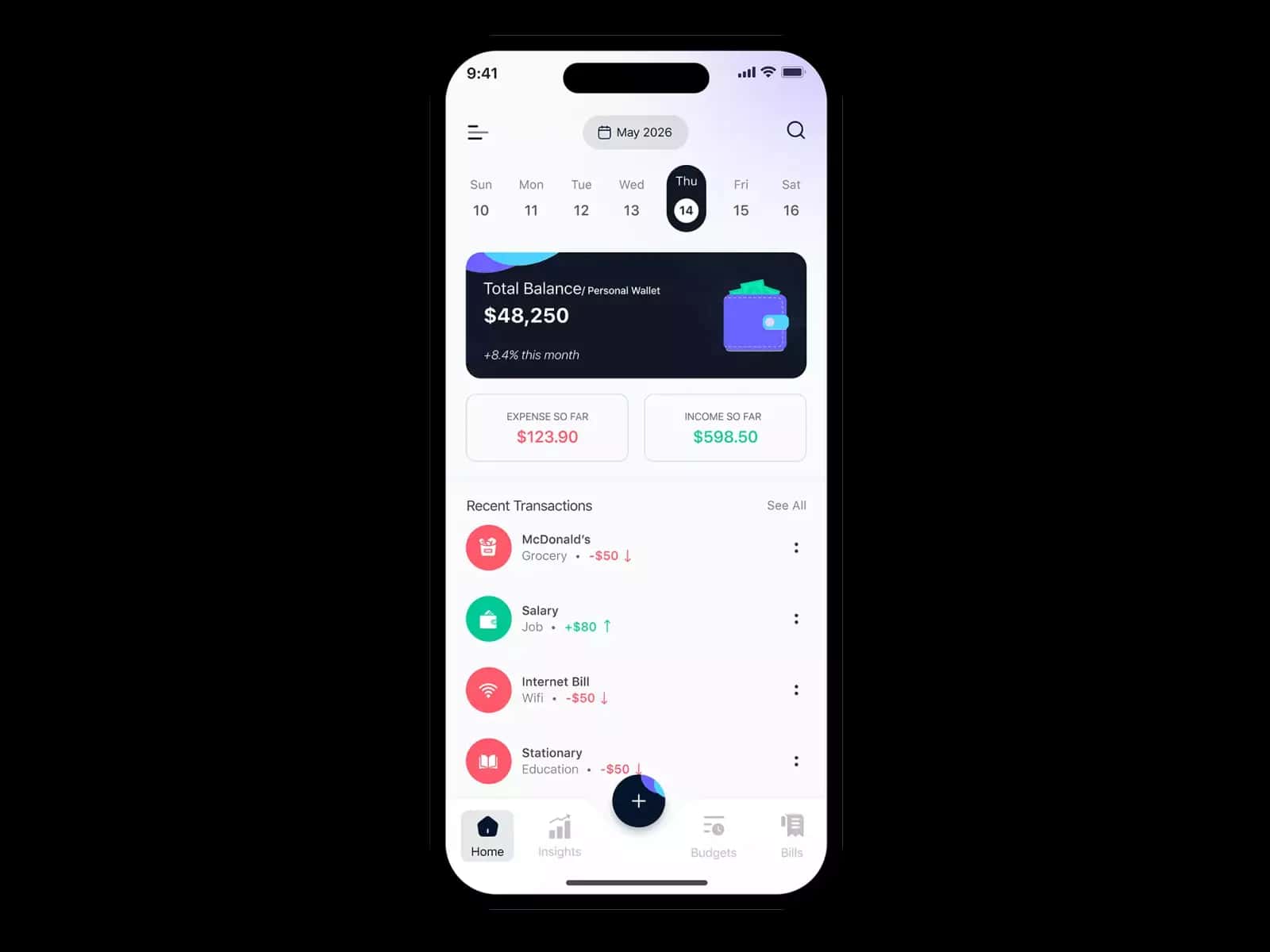
Managing expenses becomes difficult when records are scattered, manual entry takes too long and important payments are easy to miss. Smart Expense Tracker simplifies the process by bringing your expenses, budgets, bills and financial records into one place. It helps you track spending more efficiently, understand where your money goes and stay in control of your finances.
Expense tracking stops when there is no internet connection.
Logging every expense manually makes consistent tracking difficult.

Add, edit, or delete expenses with amount, date, category, account, notes and even attached images useful for keeping a receipt photo tied directly to the transaction it belongs to. A full expense history is searchable and filterable, so finding what you spent on a specific category last month doesn't mean scrolling through everything you've ever logged.
Get set up in a few steps, no complicated onboarding required.
Set up cash, bank, or digital accounts to reflect where your money actually lives.
Type it manually, scan a receipt, or just say what you spent whatever's fastest in the moment.
Create weekly or monthly budgets and let the app track your actual spending against them automatically.
Move money between accounts without throwing off your income or expense totals.
See your full financial picture at a glance, with graphs breaking down patterns over time.
Every feature works without a connection and everything syncs automatically once you're back online.

Every feature voice entry, receipt scanning, offline access exists to remove a reason someone might stop tracking.

Offline-first isn't a backup plan here; it's the default, because real financial tracking doesn't wait for a good signal.

Account-to-account transfers, budget comparisons and transaction history are all built to reflect what actually happened, not a simplified approximation.

Tell us about your project, goals or challenges. Our team will connect with you and explore the right solution.
Expenses across cash, banks and digital wallets are difficult to manage together.
Important bills and payment deadlines are easily forgotten.
Budgets are created but often go unchecked as spending changes.
Without clear reports it is difficult to understand where your money goes.
Generic categories often fail to reflect how you actually spend.

Financial data syncs securely to the cloud through Supabase, with local data staying under your control until it syncs.

Custom categories, flexible budgeting periods and multiple account types reflect how people actually manage money not a rigid, one-size-fits-all template.
 Dart
Dart FlutterDartFlutterDartFlutterDartFlutterDartFlutterDartFlutterDartFlutterDartFlutterDartFlutterDartFlutterDartFlutterDartFlutterDartFlutterDartFlutter
 OpenAI
Yes. The app works offline so you can add, edit and view all your financial data without an internet connection. Everything automatically syncs to the cloud once you're back online